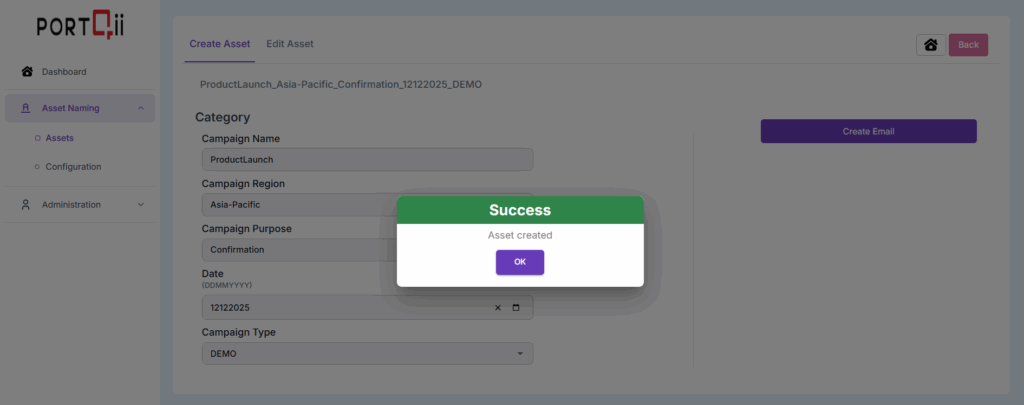
In this section, we will see how HubSpot users can use ANA to create assets instead of directly creating them in HubSpot. This is important, because by making this one small change to the way we create assets, we can start generating meaningful asset names.
To start with, let’s see how we can create a Email:
Creating Email with ANA #
Step – 1
The logged-in Home-Page has Assets option under Asset Naming. Click on Assets option. To create an asset, we need to first choose the asset type that needs creation. In this case, we will choose Emails.
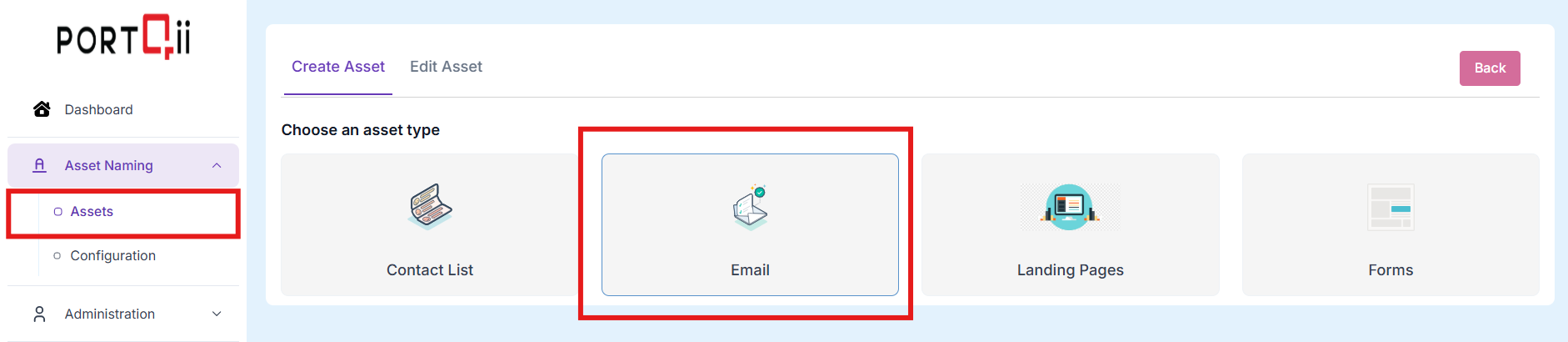
NOTE: The last two options, Email Template and Landing Page Template will disappear soon.
Step – 2
To create an asset with ANA, we need to fill the form that is presented to us in this step. Most of these are drop-down lists, and we need to choose values for each.
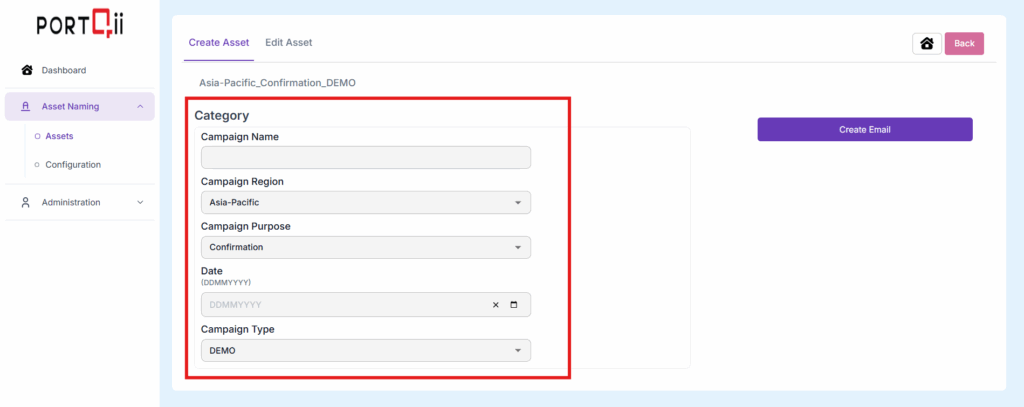
These fields (marked in Green) are appearing for this asset type, because the admin has set it as such.
As we will these fields, we notice the asset name being formed:
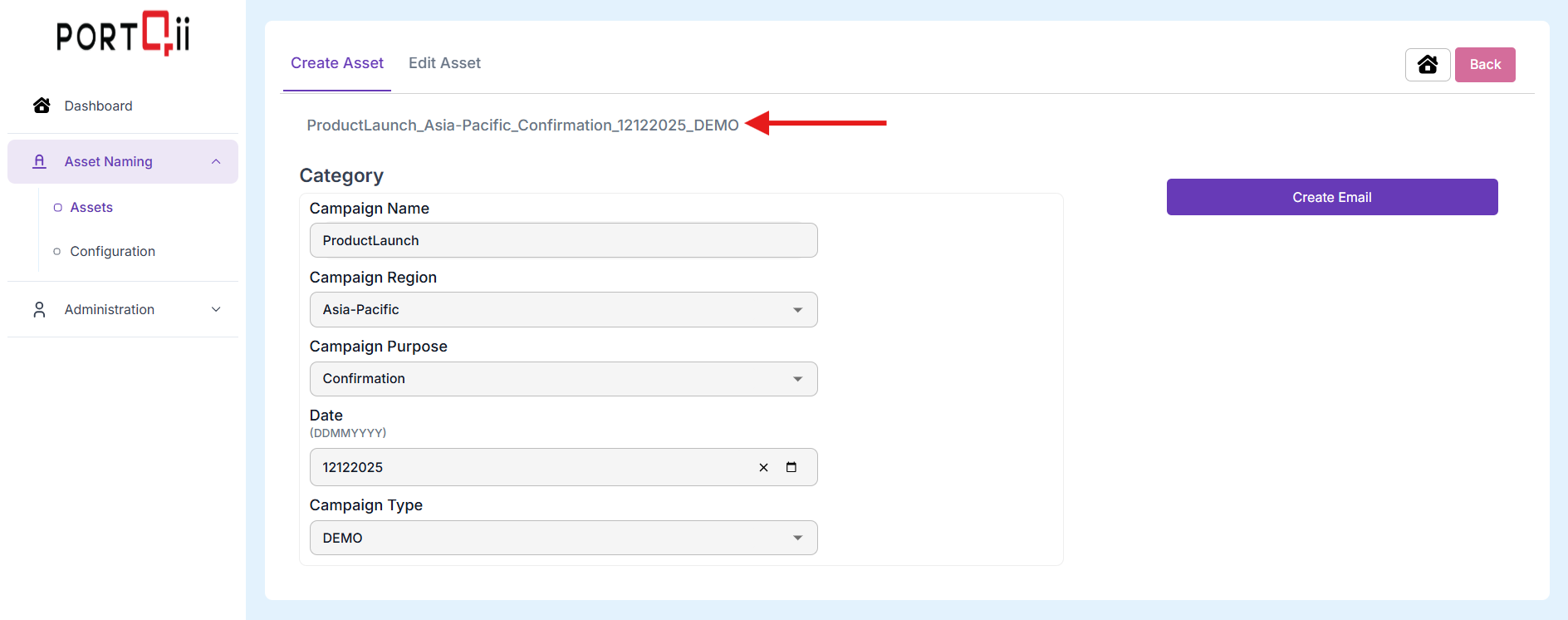
In the section on configuring and administration, we can learn how to set these fields and populate the options for each field.
Step – 3
Once the form is filled, Click on Create Email and, we are done.