The Integration Users page focuses on users accessing application data via integrations and Bulk APIs.
User Listing #
Users are presented in a tabular view that consolidates identity, activity summary, and compliance status into a single, scannable format. Each entry represents an integration user and provides administrators with immediate visibility into whether the user’s activity is considered acceptable or critical. The table also includes an administrative action that allows access revocation when necessary.
User-Level Details #
Each user entry is interactive. When an administrator selects a user, the system displays all applications accessed by that user along with the compliance status of each application. This expanded view helps administrators evaluate whether the user’s activity across multiple applications presents a broader security risk and supports informed decisions about access revocation.
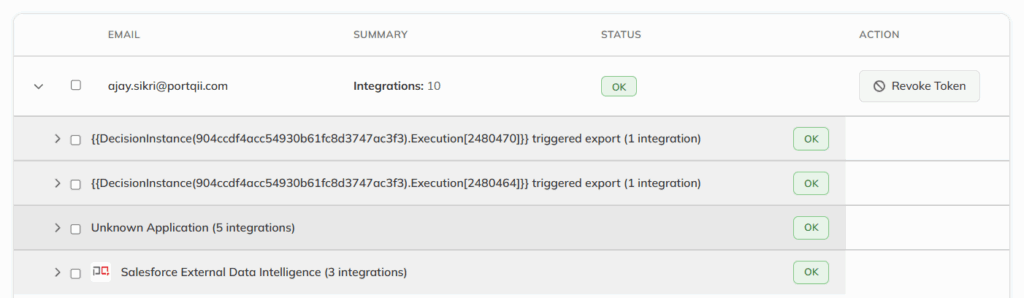
Note that the Revoke Token button immediately removes the user’s access, preventing further operations until remediation or review is completed.