
Agent Studio
One shared workspace where your marketing team uses AI agents to get work done in Eloqua or Marketo, following your organization’s rules and approvals.
Agent Studio unifies tasks that used to live in separate Portqii apps: QA, naming, calendar overlap, instance cleanup, security monitoring, version control, lead import, and more. You describe the work in chat, the agent suggests what to do, and you approve it before anything that can’t be undone happens in your marketing platform.
Agent Studio works with your marketing automation platform (Eloqua or Marketo). Today it supports Oracle Eloqua most fully, and Adobe Marketo support is growing. Open it at agentstudio.portqii.com.
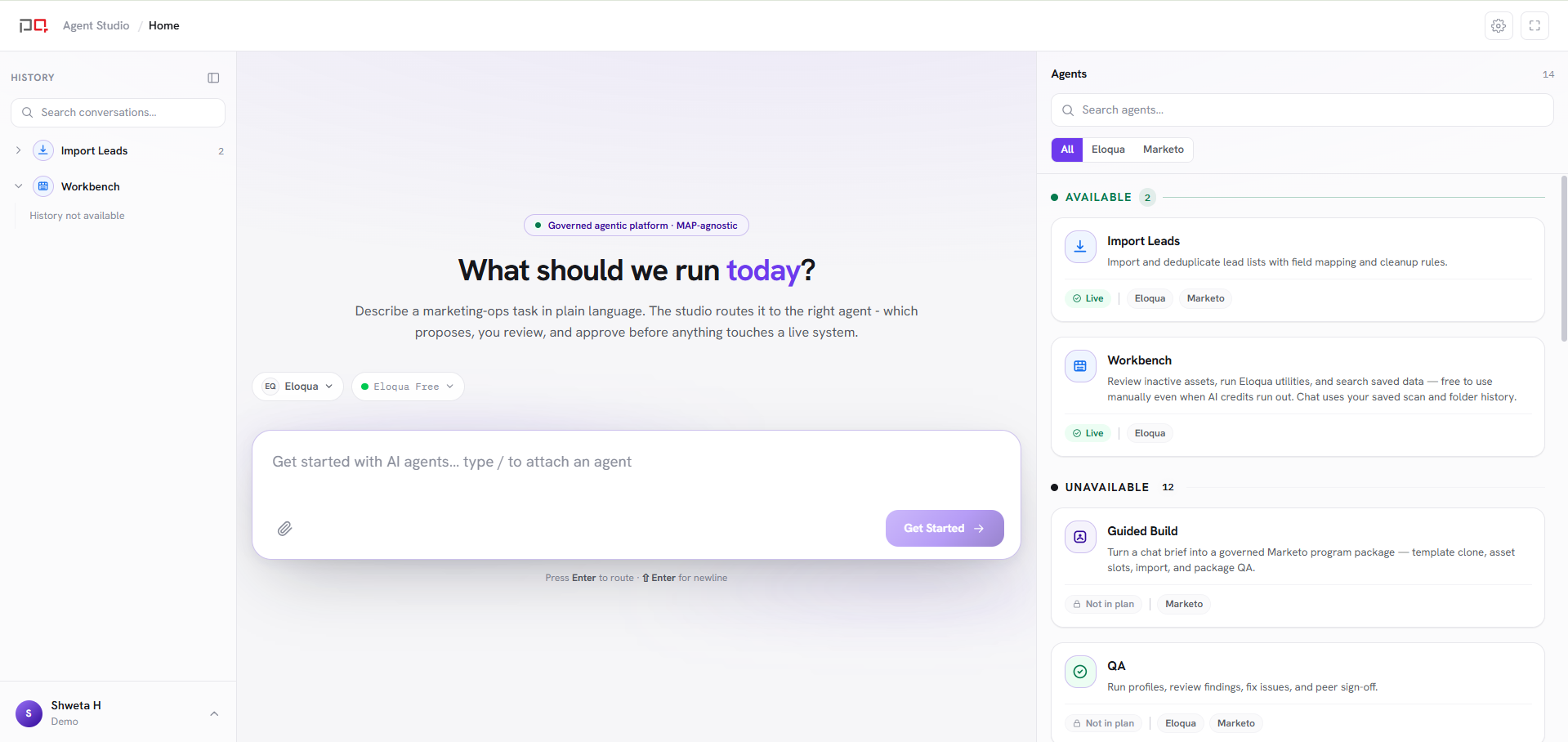
/images/agent-studio/overview/home-agents.pngAgent Studio Home as a signed-in user sees it, ideally with a mix of available agents and locked ones (marked "Not in plan" or "No access"). Use a demo instance.
How it works
Sign in and connect your platform
Sign in with your organization account, then add a connection. This lets agents work in the right Eloqua or Marketo account.
Open an agent from Home
Each agent has its own workspace. You chat on the left, and the panel on the right shows results as they come in, such as findings, previews, or calendars.
Review, confirm, then go
Agents show you what will change first. Anything that edits or deletes your data asks for your confirmation, so nothing changes without your approval. Everything you confirm is recorded.
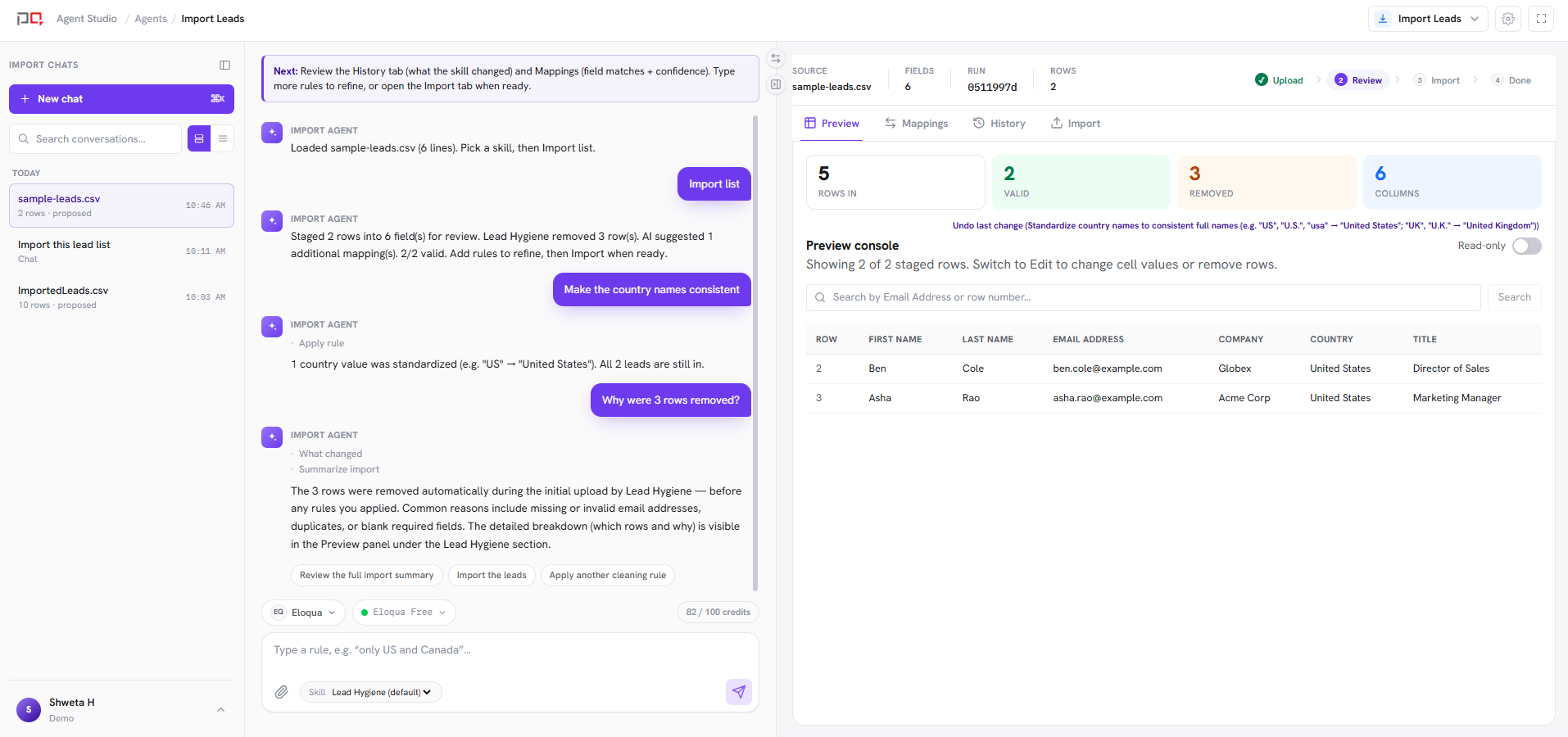
/images/agent-studio/overview/workspace-chat-panel.pngAny agent open (for example QA) with a short chat on the left and the results panel on the right. Use a demo instance.
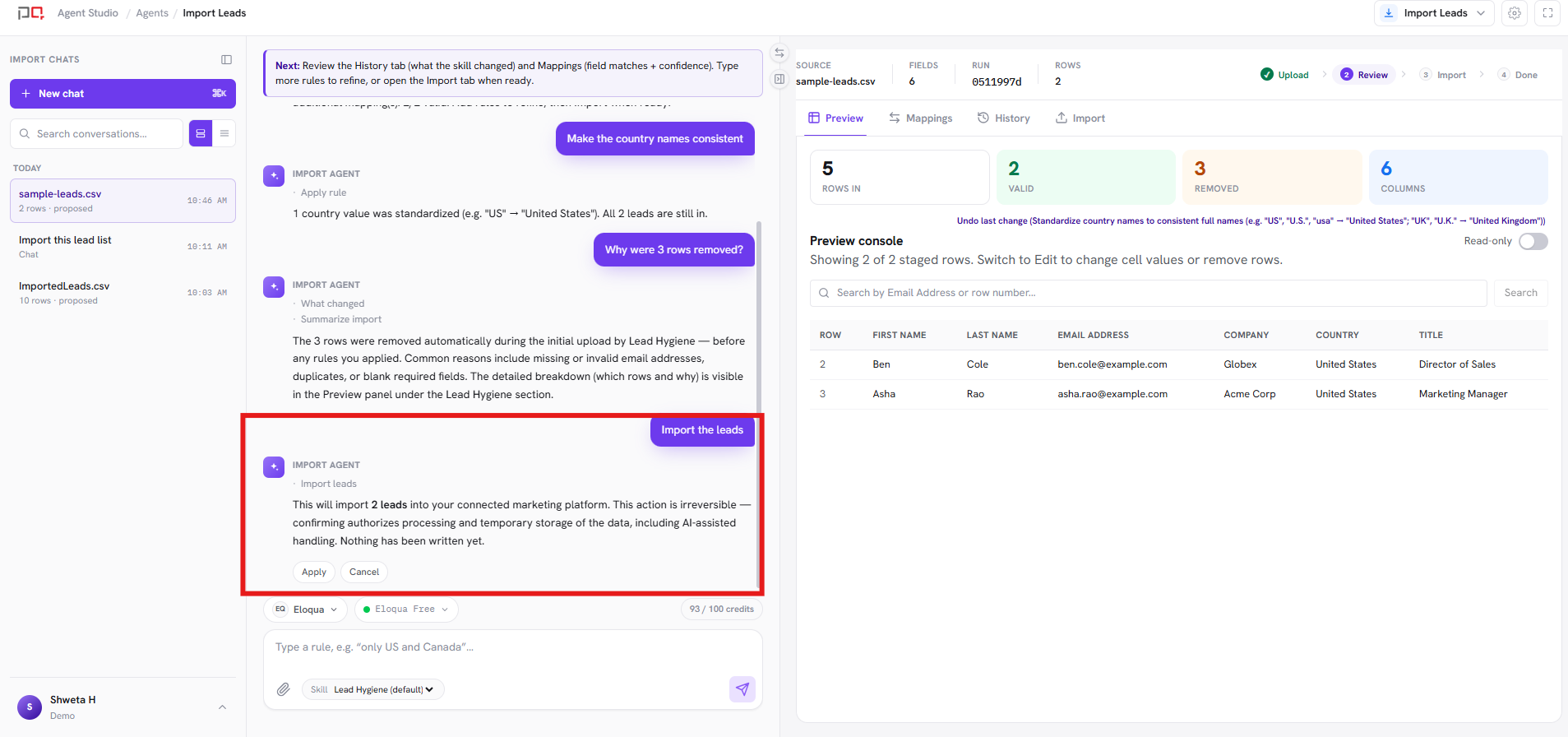
/images/agent-studio/overview/confirm-before-write.pngAn agent showing a preview and the confirm button before a change is made, for example before an import or a fix. Use a demo instance.
What you see on Home depends on you. The list below covers every agent. Your Home shows the agents your organization’s plan includes and your role allows. Any others appear locked, marked “Not in plan” or “No access”. To add an agent to your plan, contact support@portqii.com.
Agents
| Agent | Works with | What it does |
|---|---|---|
| QA | Eloqua, Marketo | Check campaigns and emails before they go out, fix issues, and get a teammate to sign off. |
| Import Leads | Eloqua, Marketo | Bring lead lists into your marketing platform cleanly: map fields, remove duplicates, and approve before upload. |
| Naming | Eloqua, Marketo | Create campaigns, emails, and pages with names that follow your team’s standards. |
| Marketing Calendar | Eloqua, Marketo | See when campaigns hit the same audience so you can avoid over-messaging. |
| Data Quality | Eloqua, Marketo | Score how healthy your contact data is and get a clear fix plan. |
| Daily Audit | Eloqua, Marketo | See what happened in marketing ops yesterday and spot unusual spikes or drops. |
| Security & Compliance | Eloqua | Watch for risky data activity from integrations and fix problems when they appear. |
| Asset Version Control | Eloqua | Look back at earlier versions of Eloqua assets and restore one when you need to. |
| Asset Sync | Eloqua | Copy campaigns, emails, and other Eloqua assets from one instance to another. |
| Instance Cleaner | Eloqua | Remove unused Eloqua assets safely after checking what still depends on them. |
| Guided Build | Marketo | Describe a campaign in chat and get a ready-to-use Marketo program built to your standards. |
| Workbench | Eloqua | Find unused Eloqua assets and run common cleanups to keep your instance tidy. |
| Agentic AI Action | Eloqua, Salesforce | Write Eloqua contacts into Salesforce mid-campaign, with AI that fixes failed records and learns from what you approve. |
| Agentic AI Decisions | Eloqua, Marketo | Segment and route contacts using data from outside Eloqua or Marketo, without having to import it first. |
Documentation
Getting Started
Connections
Context
Agents
QA
Naming
Marketing Calendar
Import Leads
Security & Compliance
Daily Audit
Asset Version Control
Agentic AI Action
Agentic AI Decisions
Guided Build
Workbench
Data Quality
Instance Cleaner
Asset Sync
More coming. Additional agent guides will appear under Agents. Eloqua / Marketo / HubSpot app docs remain available below.