
Security & Compliance
Watch integration security posture: hourly Bulk API activity monitoring, threshold-based violation detection, and governed remediation.
Supported MAPEloqua
Open Security & Compliance from Home or go to /agents/security. Like other Agent Studio agents, you work in a chat + panel workspace: ask about posture or a violation in chat; the panel shows the dashboard, violations, users, monitoring scope, and remediation.
Detection thresholds, governance flags, notifications, and baseline learning are configured in Security & Compliance settings for your connection.
Configuring detection? Admins set governance, thresholds, severity triggers, notifications, and baseline under Security & Compliance settings (
/settings/agents/security in the product).Before you start
- An active MAP connection with integration activity to monitor
- Thresholds and notifications configured for that connection (see settings)
- Optional: monitoring scope reviewed so known-safe apps or users are excluded intentionally
Monitor posture
Open Security & Compliance
From Home, choose Security & Compliance, or open
/agents/security.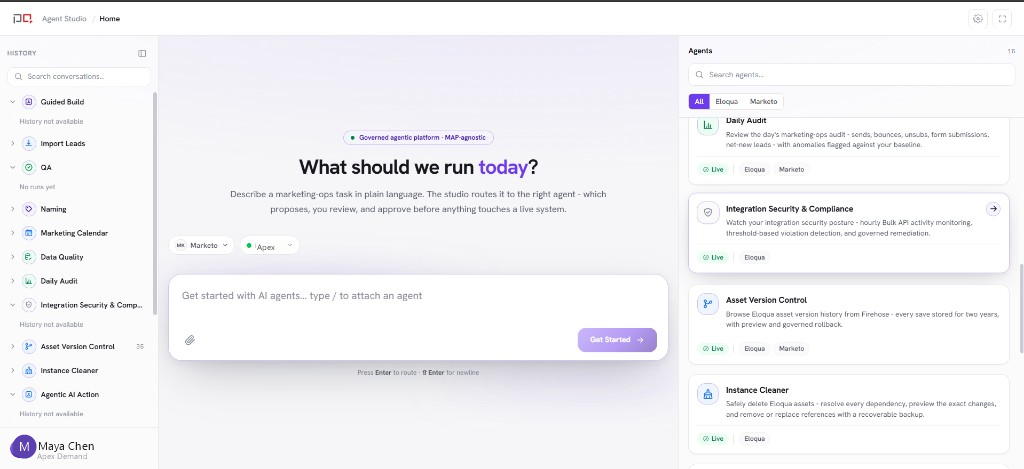
/images/agent-studio/security-compliance/open-from-home.pngHome with Security & Compliance in the agents list. Use a demo instance.
Review the dashboard
Start on Dashboard for open violations, risky users, recent alerts, and remediation trends from the hourly collect → detect sweep.
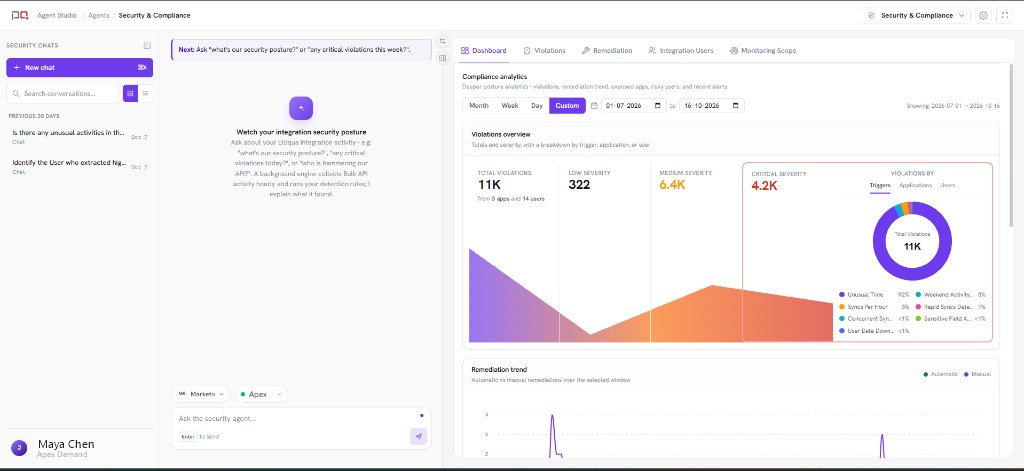
/images/agent-studio/security-compliance/workspace-overview.pngSecurity & Compliance at /agents/security, chat on the left, panel on the Dashboard tab showing open violations, risky users, recent alerts and remediation trends. Use a demo instance.
Ask in chat
Ask questions such as “What are the critical open violations?” or “Explain this spike.” The agent narrates findings and can focus a specific violation in the panel.
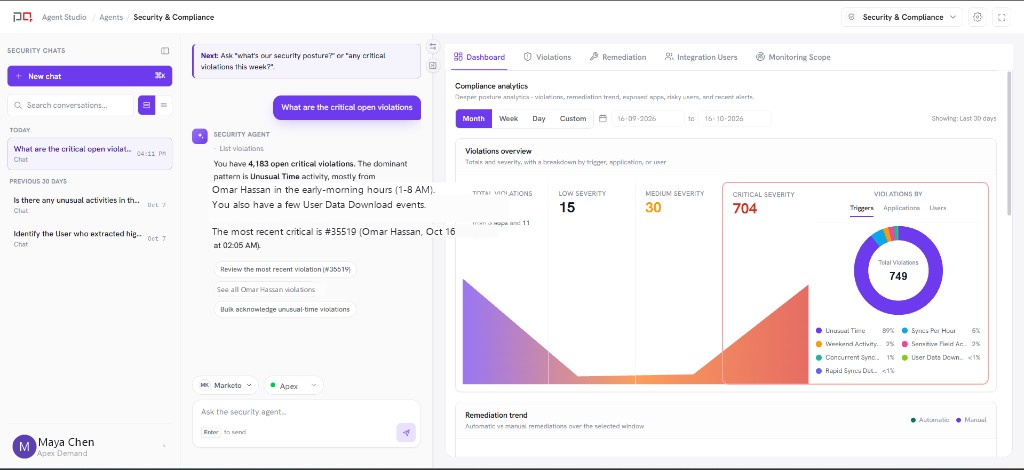
/images/agent-studio/security-compliance/ask-in-chat.pngChat answer for critical open violations, with the Dashboard tab open beside it. Use a demo instance.
Triage violations
Open Violations, filter by severity, app, user, or rule, then acknowledge (ignore) a violation or move to remediation.
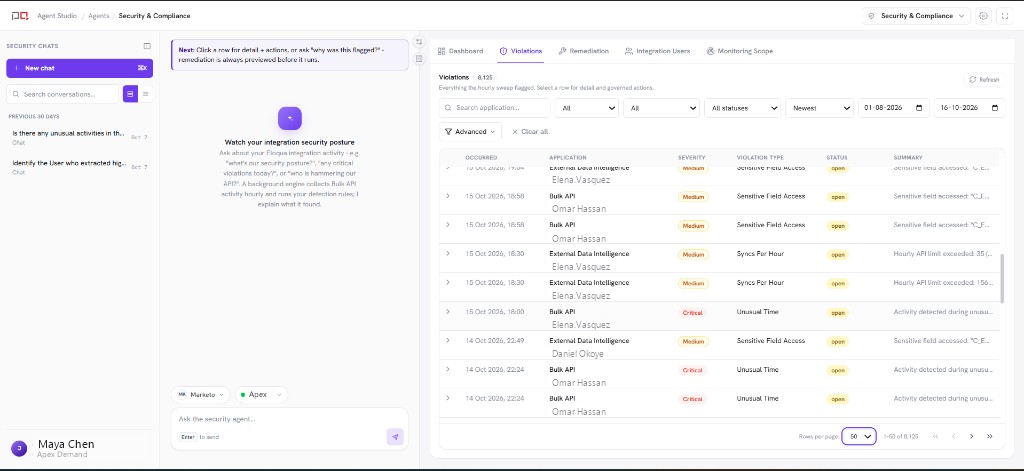
/images/agent-studio/security-compliance/violations-tab.pngViolations tab listing open detections with application, user, severity, and status. Use a demo instance.
Remediate when needed
On Remediation, preview impact, confirm the action (Pause Syncs, Revoke Token, or Ignore), and track completion. Actions that need sign-off wait under Pending approval.
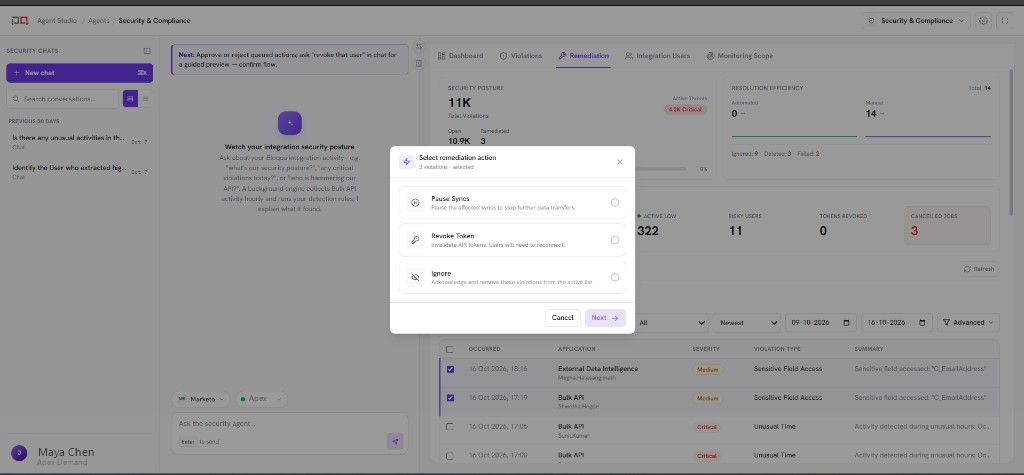
/images/agent-studio/security-compliance/remediation-confirm-dialog.pngRemediation tab with Select remediation action open for Pause Syncs, Revoke Token, and Ignore. Do not confirm. Use a demo instance.
Panel tabs
| Tab | Use it to |
|---|---|
| Dashboard | See overall posture, exposures, and trends at a glance. |
| Violations | List, filter, and open individual detection results. |
| Remediation | Act on violations with a governed confirmation step. |
| Integration Users | Review integration user activity tied to detections. |
| Monitoring Scope | See auto-detected inventory and manage inline exclusions. |
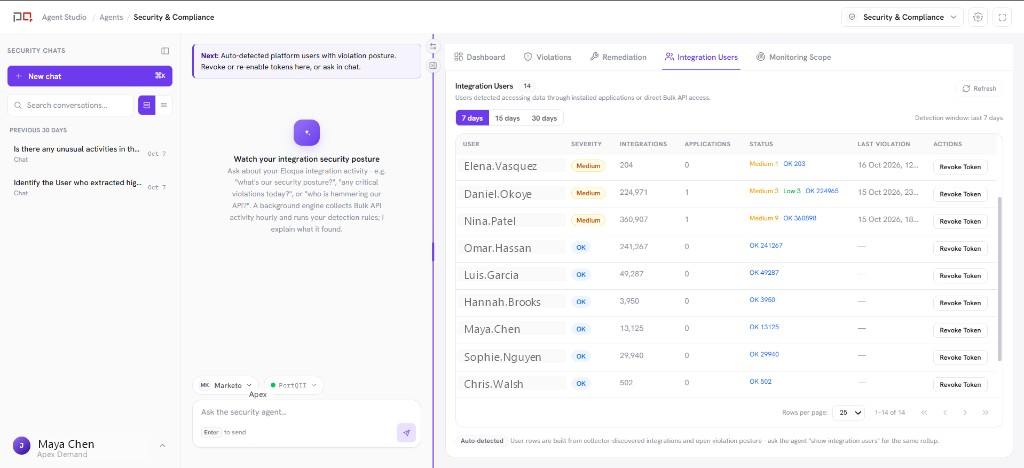
/images/agent-studio/security-compliance/integration-users.pngIntegration Users tab with detected users, severity, and Revoke Token. Use a demo instance.
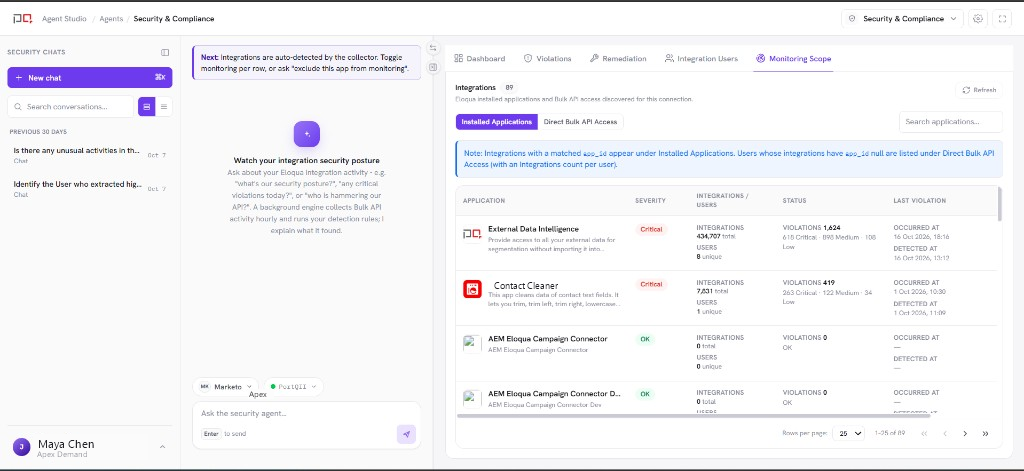
/images/agent-studio/security-compliance/monitoring-scope.pngMonitoring Scope tab with installed applications, severity, and last violation. Use a demo instance.
Hourly sweep. Collect and detect run on a schedule. Chat and the panel read the same stores. Focusing a violation in chat opens it in the Violations tab.
No connection? The agent shows an empty state until you configure an active connection. See Connections.
Related
Security & Compliance settings
Eloqua Security Compliance
Connections