
Daily Audit settings
Configure what to collect, map parameters to smart lists, and set anomaly digest email for each MAP connection.
Supported MAPEloquaMarketo
These settings live under Settings → Agent context → Daily Audit in the product (/settings/agents/daily-audit). They are specific to this agent, separate from org Context.
Open settings
Open Settings
In Agent Studio, go to Settings, then Agent context → Daily Audit (
/settings/agents/daily-audit).Select a connection
The screen is gated until a MAP connection is selected. Coverage, custom metrics, and digests are stored per connection.
Configure and save
Set what to include, add anomaly email recipients when you want digests, and (on Marketo) add custom metrics from smart lists.
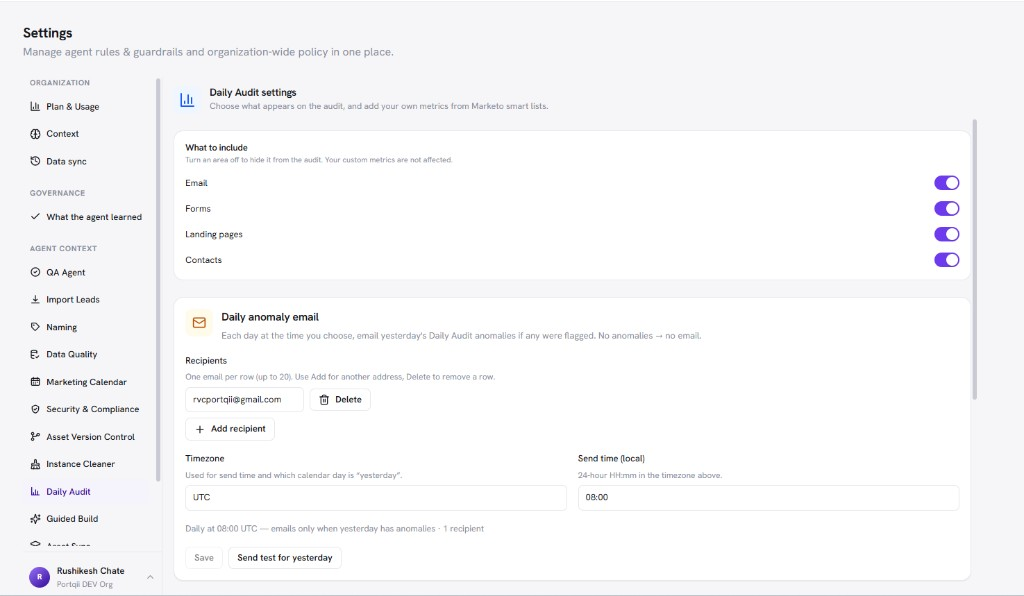
/images/agent-studio/daily-audit/settings-overview.pngSettings, Agent context, Daily Audit (/settings/agents/daily-audit) with a connection selected, What to include toggles and Daily anomaly email with one recipient and Send test for yesterday visible. Use a demo instance.
Sections
| Section | What you configure |
|---|---|
| What to include | Coverage toggles for Email, Forms, Landing pages, and Contacts on this connection. |
| Daily anomaly email | Recipients, timezone, and send time for the digest. Email sends when at least one recipient is saved and yesterday’s snapshot has anomalies. Use Send test for yesterday to check it. |
| Custom metrics | Marketo only. Select Add metric, name it, and pick a Marketo smart list. A green check means it is ready for the audit; a red mark explains why it cannot be used yet. Refresh a metric as its list changes. |
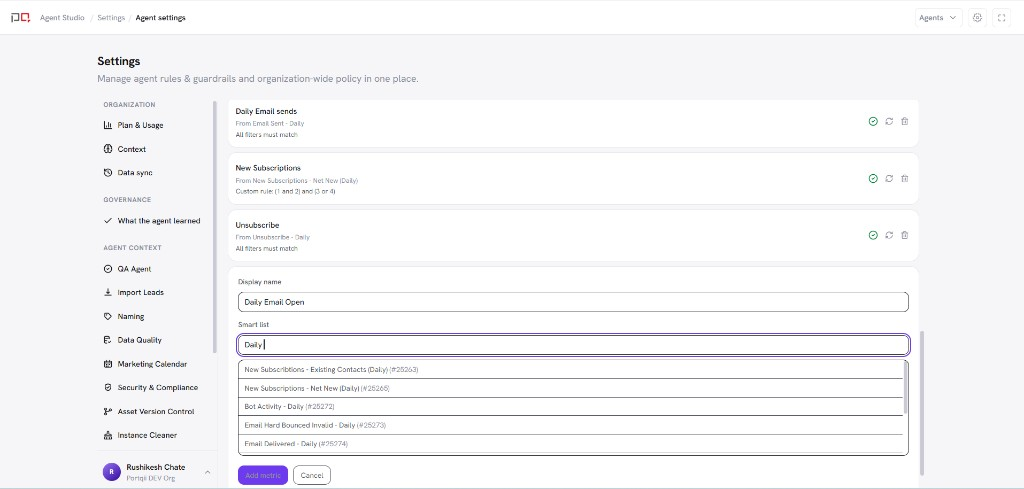
/images/agent-studio/daily-audit/settings-custom-metrics.pngSame screen on a Marketo connection, Custom metrics section with two metrics mapped to smart lists, one with a green ready check, and Add metric visible. Use a demo instance.
Connection scope. Always confirm which connection is selected before changing mappings or recipients. Eloqua and Marketo audits are independent.
Related
Daily Audit
Connections
Context