
Naming settings
Configure the naming convention, rules, UTMs, and related options for each MAP connection.
Naming settings live under Settings → Agent context → Naming in the product (/settings/agents/naming). They are specific to the Naming agent, separate from org Context.
/settings/agents/naming).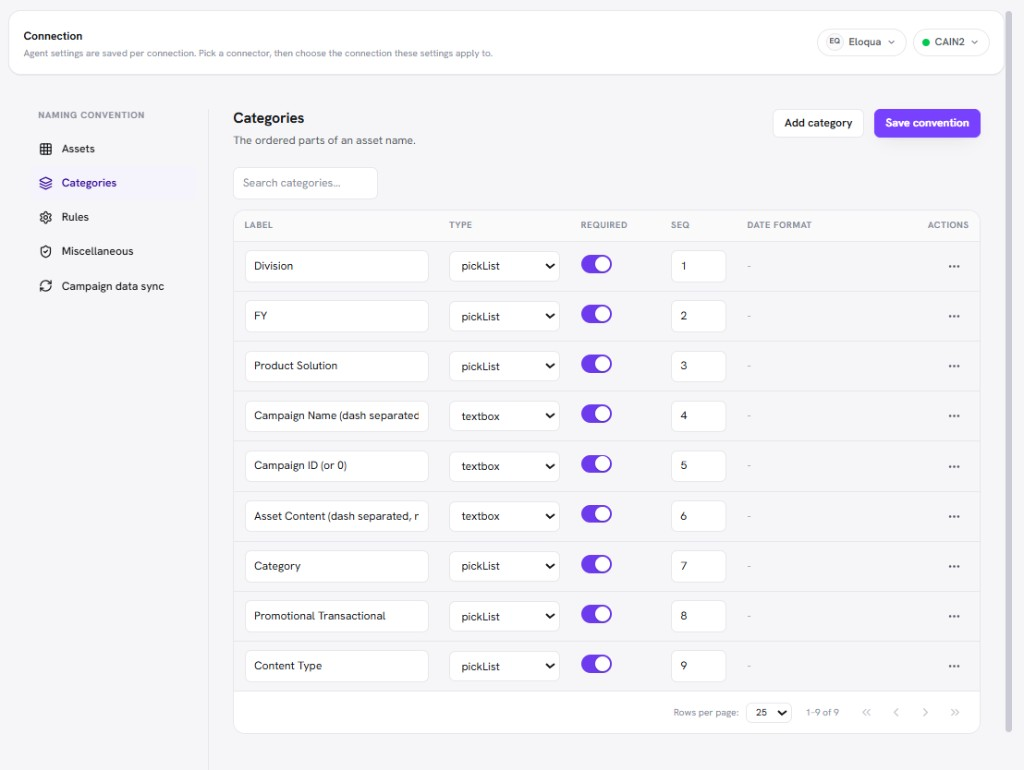
/images/agent-studio/naming/settings-categories-tab.pngSettings, Agent context, Naming (/settings/agents/naming) with a connection selected, Categories tab open showing picklist and textbox segments. Use a demo instance.
| Tab | What you configure |
|---|---|
| Assets | Which asset types are turned on for creation on this connection. |
| Categories | Name segments (picklists, textboxes, dates) used to build names. |
| Tokens | Marketo only: Program My Tokens provisioned after a program is created. |
| Rules | Separator, append options (Epoch, Asset ID), name length cap, and which categories make up each asset type's name. |
| Miscellaneous | Exclude special characters. On Marketo connections also: Email From / Reply configuration, Add UTM, and UTM link and asset creation report exports. |
| Campaign data sync | Eloqua-only: sync campaign-related data that Naming uses for create and clone flows. |
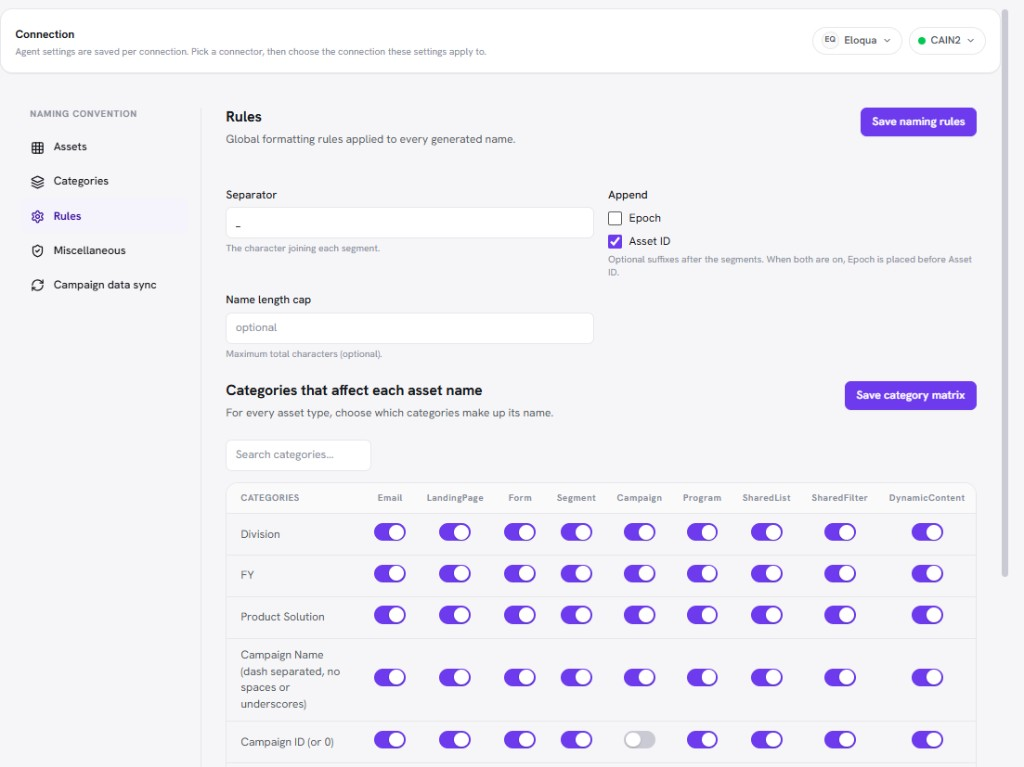
/images/agent-studio/naming/settings-rules-tab.pngNaming settings, Rules tab, showing the separator, append options (Epoch, Asset ID), name length cap, and the categories used for each asset type. Use a demo instance.
On Marketo connections, under Miscellaneous, you can enable Add UTM and define parameter rows (values may use placeholders such as asset name or id). When enabled, operators can ask the Naming agent to attach those parameters to assets.
Email From/Reply defaults (when enabled) pre-fill sender fields for supported email creates on that connection.
The same tab can export a CSV of applied UTM tracking links (Export UTM Links for Marketo Assets) or an asset creation report (Export Marketo Asset Creation Report), optionally filtered by date.