
QA settings
Configure Skills (profiles) and governance toggles for the QA agent on each MAP connection.
QA settings live under Settings → Agent context → QA Agent in the product (/settings/agents/qa). They are separate from org Context. Context is house rules for every agent; this page is QA-only authoring and governance.
/settings/agents/qa).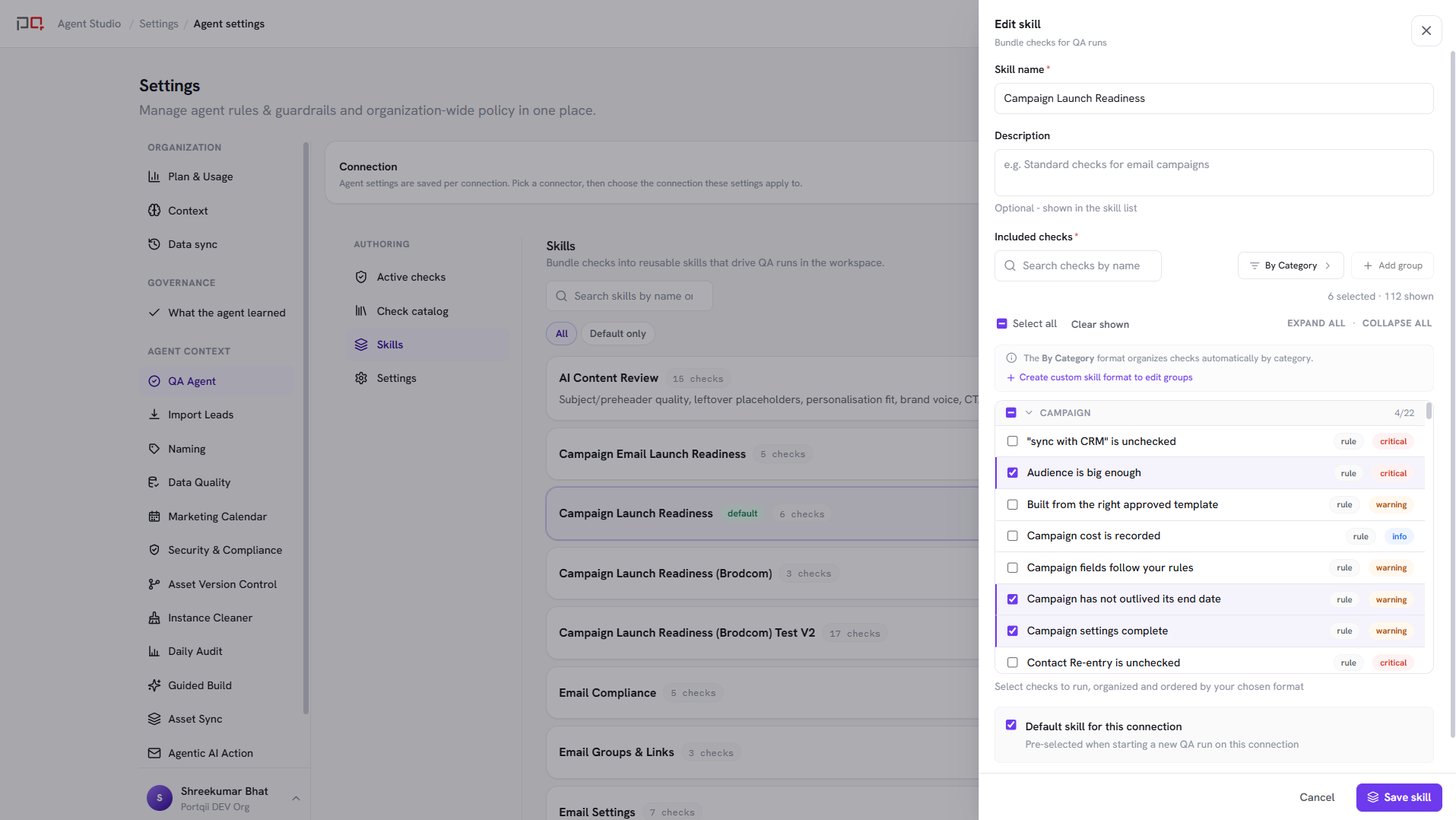
/images/agent-studio/qa/settings-skills-tab.pngSettings, Agent context, QA Agent (/settings/agents/qa) with a connection selected in the header, Skills tab open showing at least two Skills with one marked as default. Use a demo instance.
A Skill (also called a profile) is a named bundle of checks, for example “Pre-send email” or “Campaign canvas.” Operators pick a Skill when they run QA.
- Create, edit, and delete Skills for the selected connection
- Mark one Skill as the default for that connection
- Compose Skills from the active checks on that connection. Add checks from the Check catalog (ready-made checks, or build your own Custom AI check or Manual check)
Without at least one Skill, operators cannot run a profile-based QA pass (autonomous “QA this” may still plan work from chat where enabled).
| Toggle | When on | When off |
|---|---|---|
| Peer review | Authors submit runs for a peer to sign off or return. Reviewer role and inbox are available. | Authors complete runs directly; reviewer flow is hidden. |
| Apply fix | The agent can write approved fixes back to the MAP (still requires confirmation). | Recommendations only: drafts the change but cannot write to the asset. |
| AI chat & AI checks | The chat assistant and custom AI checks are available (on by default). | No chat assistant and no custom AI checks: deterministic runs only. Apply fix is not affected. |
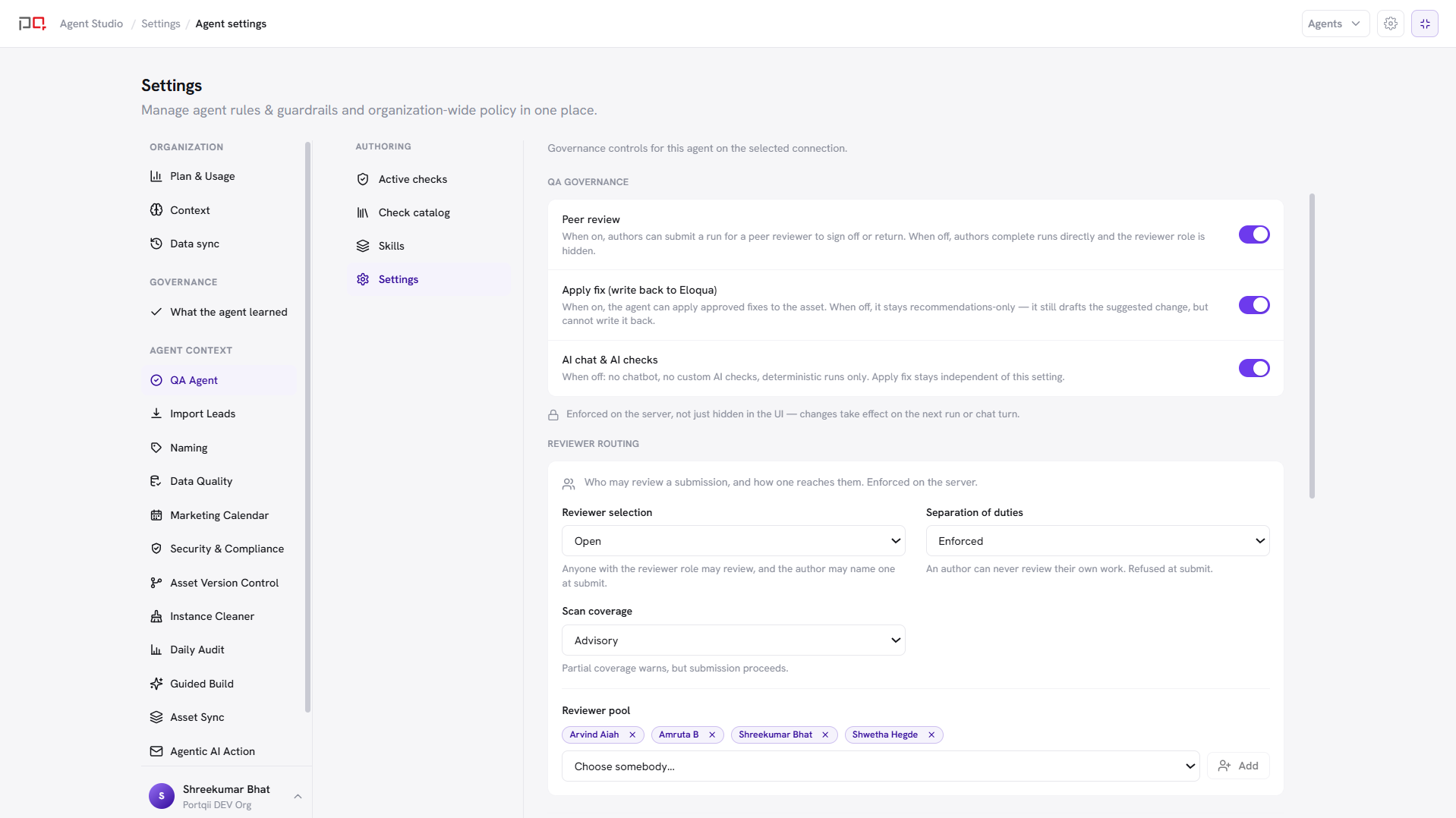
/images/agent-studio/qa/settings-governance-toggles.pngQA settings, Settings tab, showing the Peer review, Apply fix, and AI chat & AI checks toggles, with Peer review on so the Reviewer routing section is visible below. Use a demo instance.
When Peer review is on, the Settings tab also shows Reviewer routing: Reviewer selection (who may pick up a submission, including a reviewer pool or per-risk-domain pools), Separation of duties (enforced, advisory, or off), Scan coverage (advisory, or complete coverage required before submit), and the Reviewer pool.
Check & finding order formats control how checks and findings are grouped and ordered. Add custom formats, reorder groups and checks, and set one as the default.
QA settings resolve most-specific-wins for the active connection. Saving for one connection never overwrites another. Always confirm which connection is selected in the Settings header before you change Skills or toggles.