
Security & Compliance settings
Configure governance, detection thresholds, severity triggers, notifications, and baseline learning for each MAP connection.
Supported MAPEloqua
These settings live under Settings → Agent context → Security & Compliance in the product (/settings/agents/security). Monitoring scope exclusions are managed in the agent panel’s Monitoring Scope tab, not here.
Open settings
Open Settings
In Agent Studio, go to Settings, then Agent context → Security & Compliance (
/settings/agents/security).Select a connection
The screen is gated until a MAP connection is selected. Thresholds and notifications are stored per connection.
Edit a section and save
Work through the sections below. Changes apply to the next detection sweep and alert delivery for that connection.
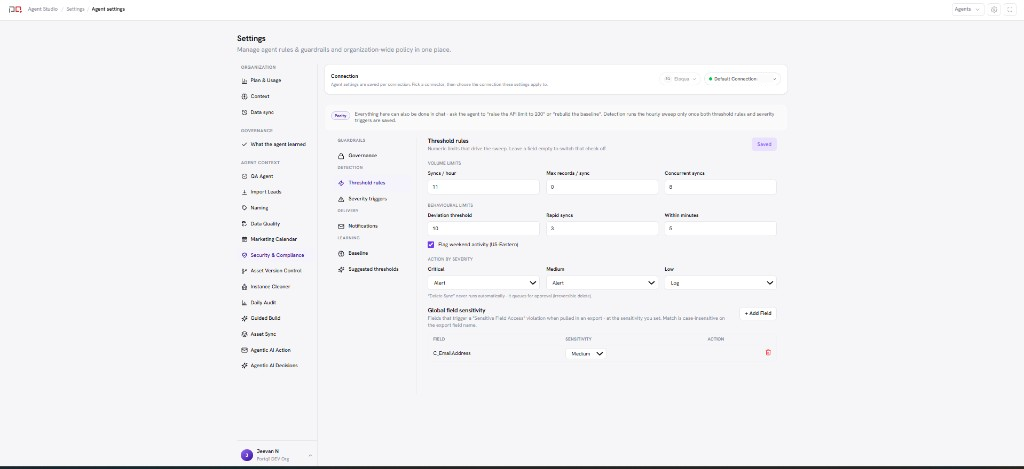
/images/agent-studio/security-compliance/settings-overview.pngSettings, Agent context, Security & Compliance on Threshold rules: volume limits, per-severity actions, and global field sensitivity. Use a demo instance.
Sections
| Section | What you configure |
|---|---|
| Governance | Guardrails for remediation: Allow automatic remediation, Require approval above a severity, and Allow bulk remediation. Automatic pause of a sync always waits for human approval. |
| Threshold rules | Numeric limits such as syncs per hour, max records per sync, concurrent syncs, rapid syncs, and related detection rules, plus the action to take at each severity (Alert, Log, Delete Sync, or Revoke Token) and global field sensitivity for exports. |
| Severity triggers | Which severity (Critical, Medium, or Low) each violation type carries. |
| Notifications | Email alerts for Critical violations (recipients and minimum severity), a scheduled violations report (CSV, daily or weekly), and a data access & exports report (PDF, weekly or monthly). Each is off until you enable it and add recipients. |
| Baseline | Training period and relearn frequency for learned normal behaviour; rebuild when your integration pattern has changed. |
| Suggested thresholds | Recommendations derived from baseline findings to tune rules. |
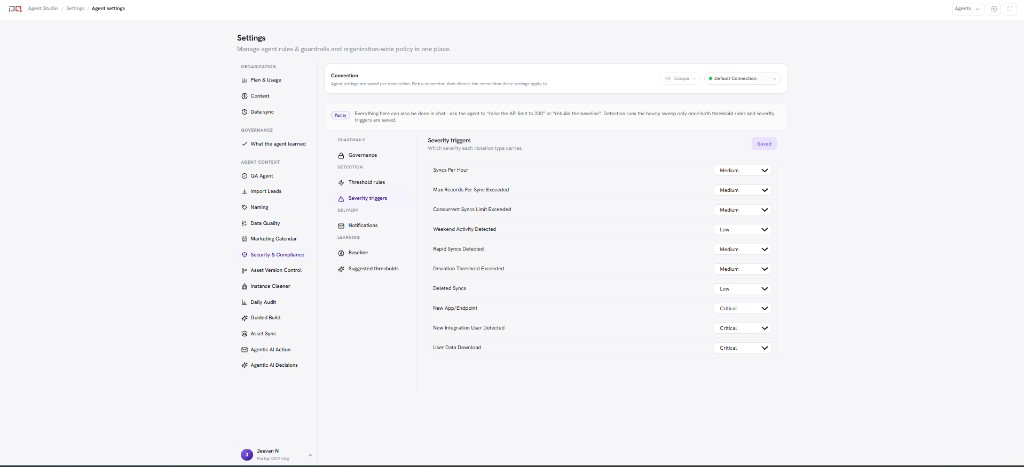
/images/agent-studio/security-compliance/settings-severity-triggers.pngSeverity triggers section with a severity (Critical, Medium, or Low) for each violation type. Use a demo instance.

/images/agent-studio/security-compliance/settings-notifications.pngSame screen scrolled to Notifications with Critical email alerts enabled for one recipient and the scheduled violations report set to weekly. Use a demo instance.
Connection scope. Always confirm which connection is selected before changing thresholds or channels. Eloqua instances do not share detection config.
Related
Security & Compliance
Eloqua threshold rules
Connections