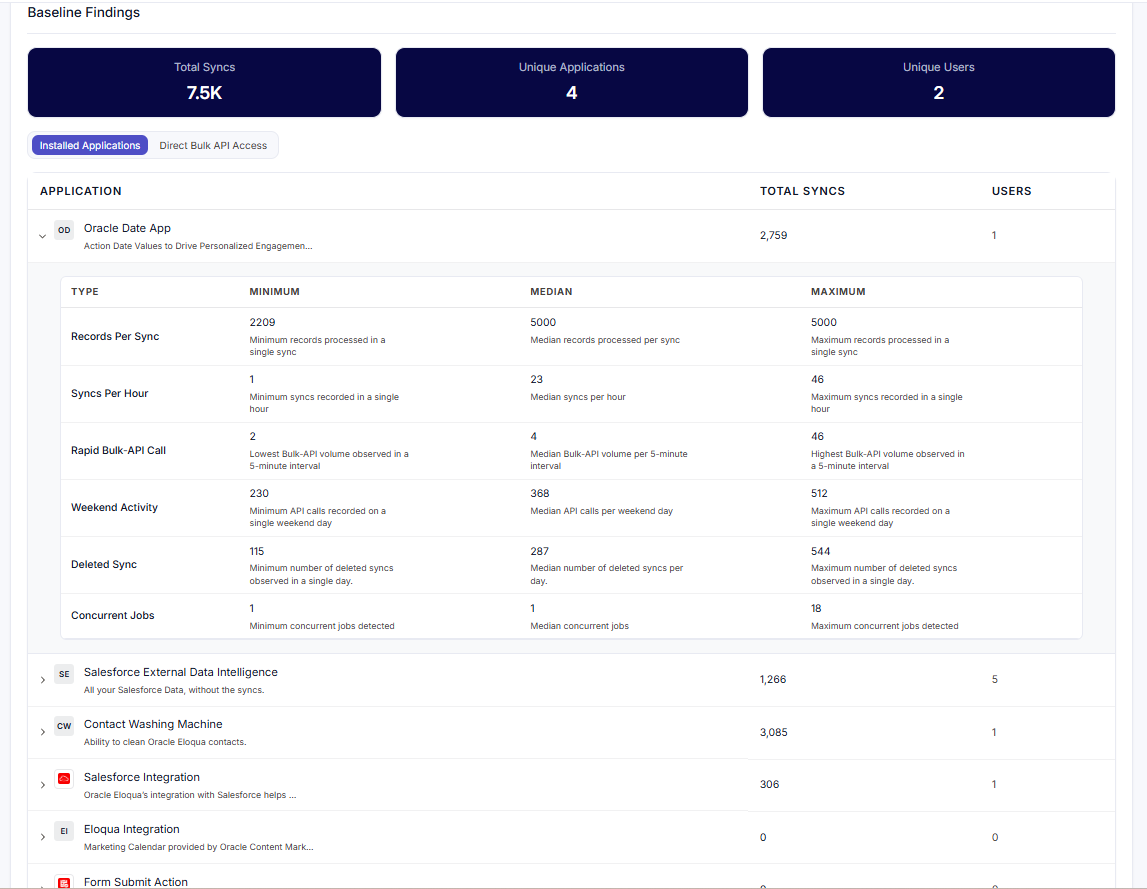
Baseline & Learning teaches Security Compliance what normal activity looks like for each application and user. Once a baseline is established, activity that falls outside the expected range — unusually high or unusually low — is flagged as a potential violation.
How it works
During a training period the system collects activity data and calculates a statistical profile (minimum, median, and maximum values) for each type of activity. When enough data has been gathered, the baseline becomes active and serves as the reference point for anomaly detection.
Configuration
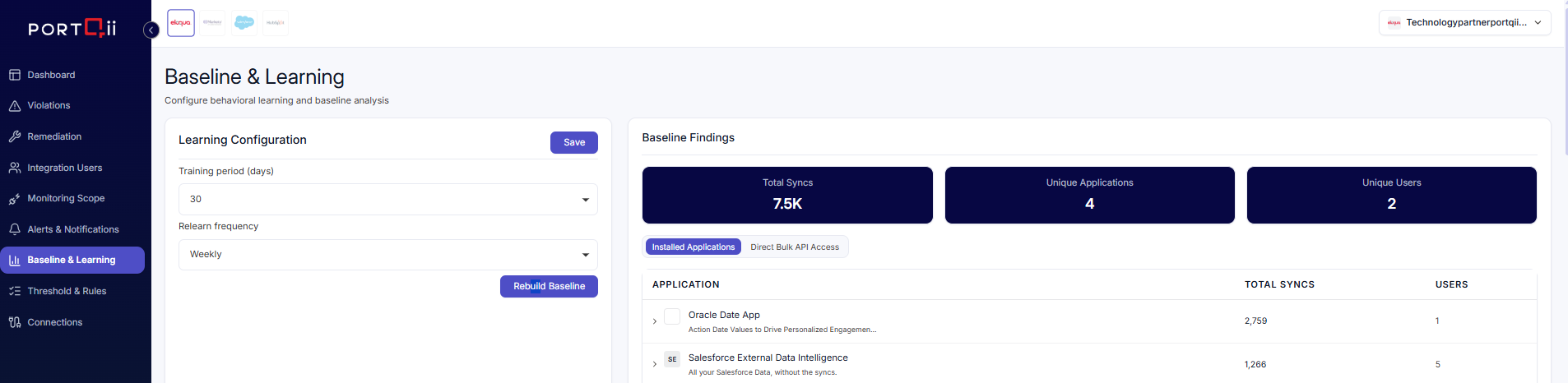
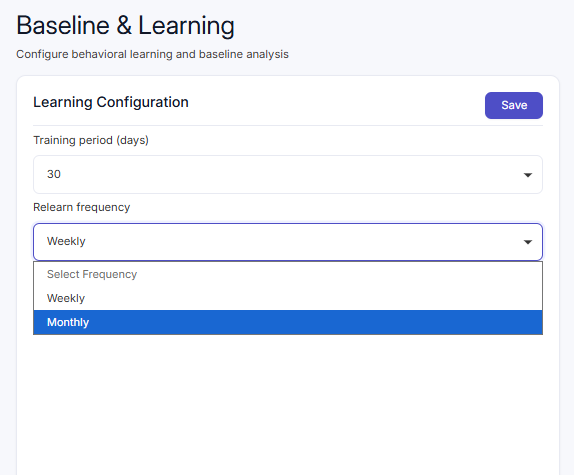
Two settings control how the baseline is built and maintained:
| Setting | Options | Purpose |
|---|---|---|
| Training Period | 30, 60, or 90 days | How long the system collects data before establishing the baseline. |
| Relearn Frequency | Weekly or Monthly | How often the baseline is refreshed with new data. |
A minimum number of data points must be collected before anomaly detection activates. You can also trigger a Rebuild Baseline at any time to force a recalculation.
Learning status
The baseline reports one of two states:
- Insufficient data — behavioural anomaly detection is paused until the minimum number of data points has been collected.
- Sufficient data — the baseline is complete and anomaly detection is active.
Findings
The Findings section presents what the system has learned, with summary metrics for total syncs, unique applications, and unique users across the training period. You can explore the detail in two views:
- By Application — each installed app with its total syncs and unique users; expand to see the minimum, median, and maximum values for each sync type.
- By Direct Bulk API Access — individual users and their total syncs; expand to see per-user detail.