If you prefer to see emails in their exact time slots rather than categorized into sections (Upcoming, In Progress, Completed), Live View provides a timeline-based approach:
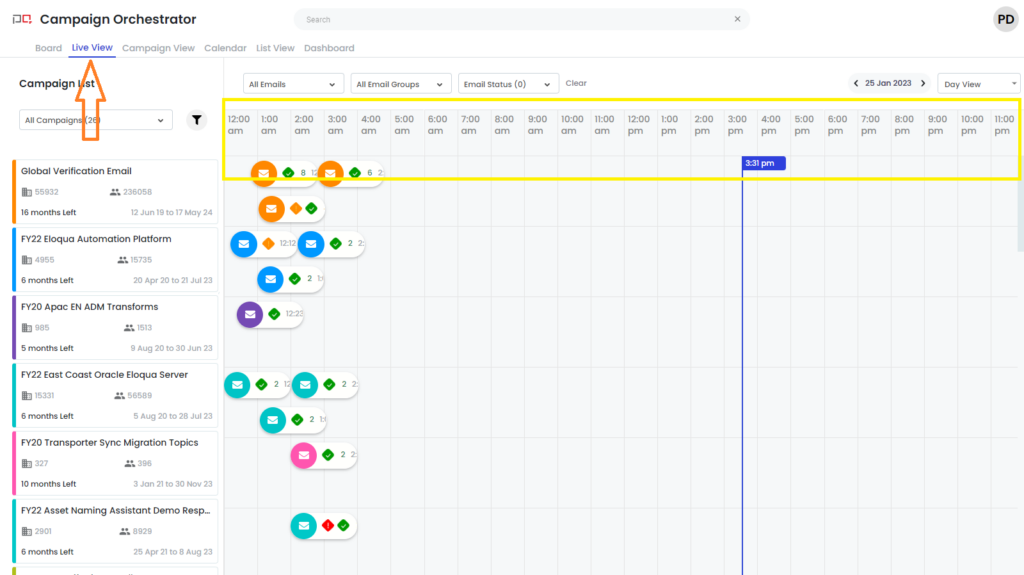
In this screenshot, you can see three emails spread across a timeline in day view.
Highlights of Live View
- Email cards are presented in swim lanes against their respective campaigns
- Emails are displayed across a timeline view (day view shown above)
Benefits of Live View
- Includes all the benefits of Board view
- Shows associated campaigns clearly alongside email timing
Email Detailed View
Email Summary
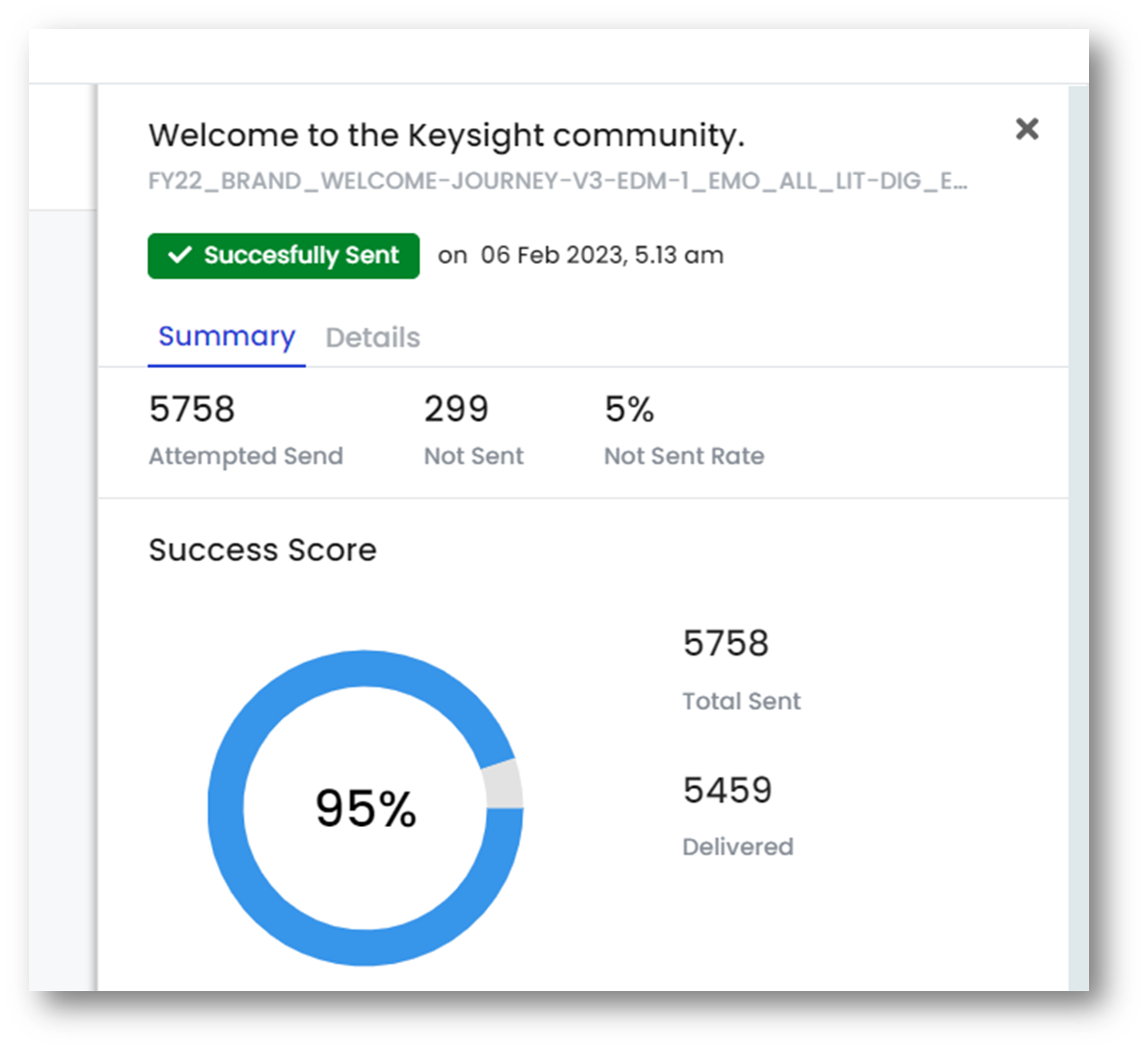 |
This gives the graphical representation of email deliverability and engagement metrics in a single screen. |
Details
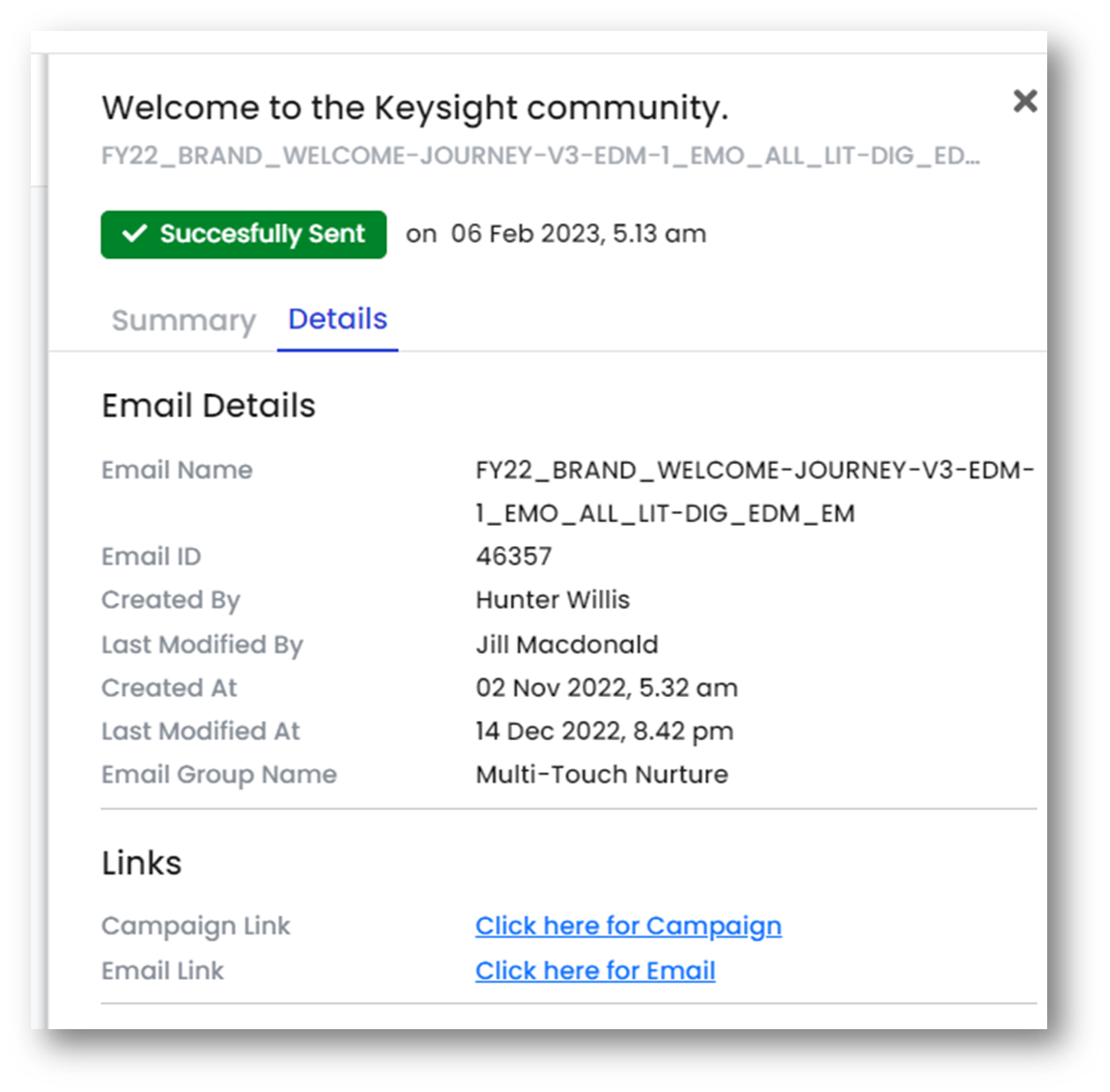 |
This gives the primary information about the email asset at one place along with the links to the email asset in Eloqua. |