Not everyone with access to Eloqua can use PCO automatically. You need to add them as users in the PCO tool first.
Note: You must be logged in as an administrator to add users.
Adding New Users
- Click on Settings
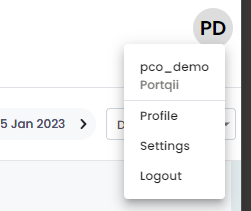
This opens the Manage Users tab:
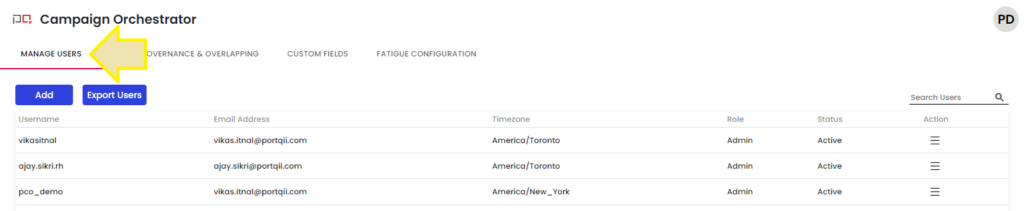
- Click the Add button
This opens a form where you'll enter the new user's details:
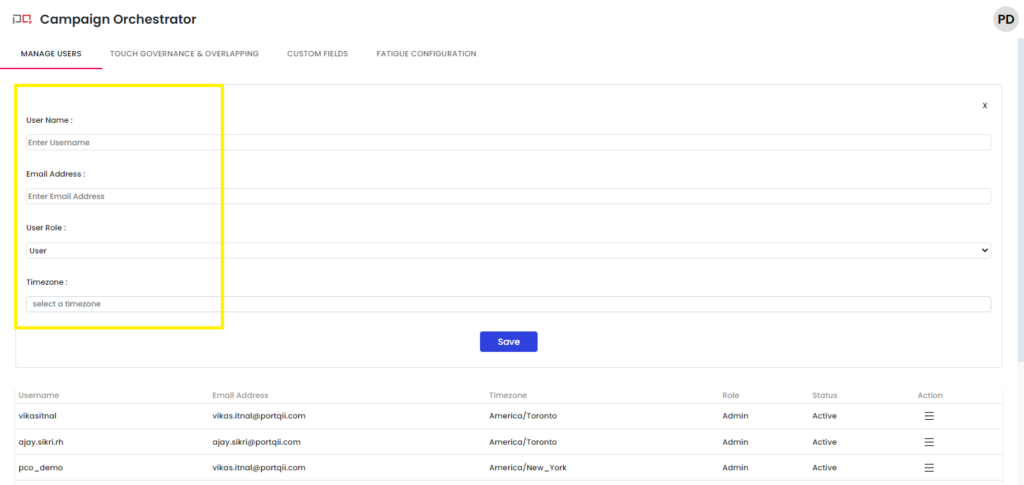
- Fill in the user details:
- Username and Email address: Enter the user's credentials
- User Role: Choose 'User' for standard users (only choose administrator for admin users)
- Time Zone: Select the user's time zone so PCO converts email timestamps to their local time
- Click Save to complete the process
Note: New users receive an email with a login link where they can set their password.
Returning to the Home Screen
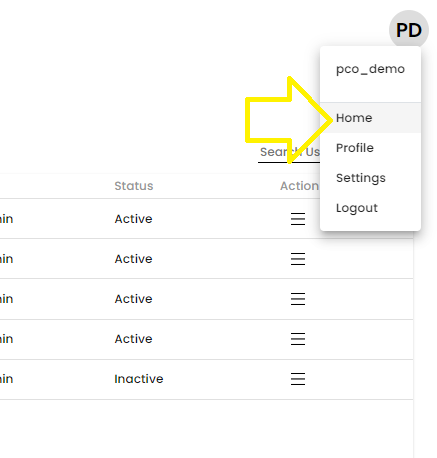
You can navigate back to the PCO Home Screen using the link in the Profile dropdown: